Control Room Video Wall Buyer's Guide India — NOC, SOC & Smart City Command Centers
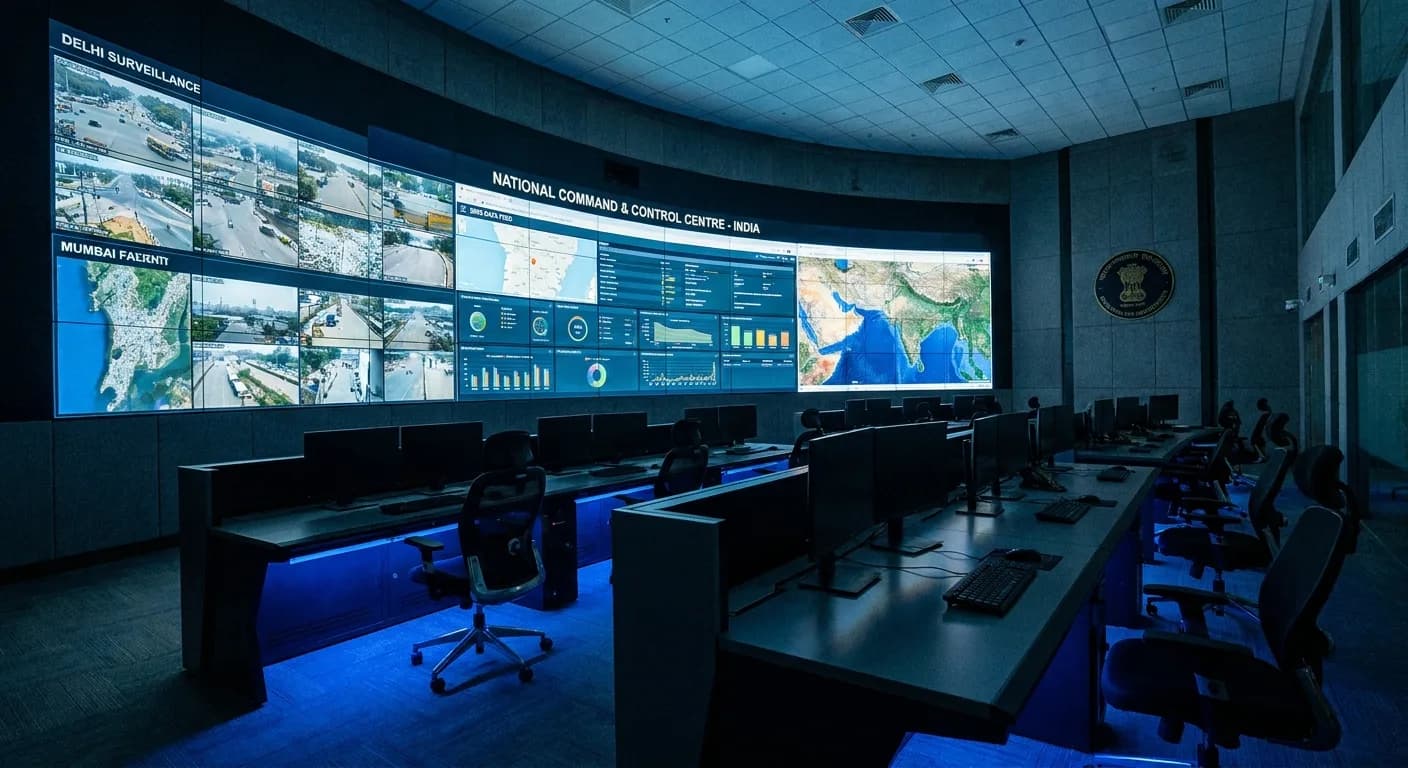
India is in the middle of a massive infrastructure buildout. Smart cities, digital government initiatives, expanding telecom networks, and growing IT enterprises are all creating demand for one critical piece of infrastructure: the control room. Whether it is a Network Operations Center (NOC) monitoring thousands of servers, a Security Operations Center (SOC) tracking surveillance feeds across a city, or a Smart City Integrated Command and Control Center (ICCC) managing traffic, utilities, and emergency response — the video wall is the centrepiece of every control room.
Getting the video wall specification right is essential. Control room operators spend eight to twelve hours watching these displays. The wrong technology, wrong size, or wrong pixel pitch leads to operator fatigue, missed alerts, and ultimately, operational failures. This guide walks you through every decision point, from technology selection to sizing, so you can specify a control room video wall with confidence.
Types of Control Rooms in India
Before selecting display technology, it is important to understand the different types of control rooms operating in India today. Each has distinct requirements for display size, resolution, content type, and operational duration.
Network Operations Centers (NOC)
NOCs are the nerve centres of IT infrastructure. Telecom companies like Jio, Airtel, and Vodafone Idea operate massive NOCs to monitor network performance across millions of connections. IT service companies — TCS, Infosys, Wipro, HCL — run NOCs for their enterprise clients, monitoring server health, application performance, and network traffic in real time. NOC video walls typically display network topology maps, real-time dashboards with KPIs, alert feeds, and ticketing system overviews. The content is data-dense, text-heavy, and requires high resolution to ensure operators can read small numbers and identify colour-coded status indicators from their workstation distance of 2 to 4 meters.
Security Operations Centers (SOC)
SOCs handle cybersecurity monitoring, physical security surveillance, or both. Cybersecurity SOCs display threat intelligence feeds, SIEM dashboards, log analysis tools, and incident response workflows. Physical security SOCs display CCTV feeds from surveillance cameras — sometimes hundreds of feeds on a single wall, with the ability to enlarge any feed instantly for closer inspection. Both types require 24/7 operation, high brightness to counter ambient lighting in shift-operated rooms, and the ability to display many simultaneous windows at readable resolution. SOCs are among the most demanding video wall applications because operators must detect subtle anomalies in dense visual information during extended shifts.
Smart City ICCC (Integrated Command and Control Centers)
India's Smart Cities Mission has funded over 100 ICCCs across the country, with cities like Bhopal, Pune, Surat, Ahmedabad, and Visakhapatnam among the early adopters. ICCCs are the operational brain of a smart city — they integrate data from traffic management systems, water and power utilities, waste management, public transport, emergency services, and environmental sensors into a unified dashboard. The video wall in an ICCC is typically the largest in any control room category, often spanning 6 to 12 meters wide, because it must simultaneously display city-wide GIS maps, live CCTV feeds from key intersections, utility status dashboards, and weather and environmental data. These walls run 24/7 and must be viewable by both close-seated operators and officials standing at the back of the room.
Utility and Industrial Control Rooms
Power generation companies (NTPC, Adani Power, Tata Power), transmission utilities (Power Grid Corporation), water utilities, and oil and gas companies (ONGC, Indian Oil, BPCL) all operate control rooms to monitor and manage their infrastructure. These control rooms display SCADA (Supervisory Control and Data Acquisition) system interfaces, process flow diagrams, alarm management systems, and real-time telemetry data. Content is highly structured, colour-coded, and requires excellent colour accuracy to ensure operators correctly interpret status indicators. Utility control rooms often have the strictest reliability requirements because a display failure can compromise operator awareness of critical infrastructure.
Traffic Management Centers
Traffic management centres (TMCs) operated by state and city traffic police display live feeds from traffic cameras at key intersections, incident detection alerts, traffic density heat maps, and signal timing dashboards. These centres need to display a large number of simultaneous video feeds — often 50 to 200 camera feeds — with the ability to zoom into any single feed at full resolution. The combination of many small windows and the need for occasional full-screen detail makes video wall sizing and resolution critical in TMC applications.
LED vs LCD Video Walls for Control Rooms
The fundamental technology decision for any control room video wall is LED versus LCD. Both technologies are used in mission-critical control rooms worldwide, but they have fundamentally different characteristics that make each better suited to specific scenarios. Understanding these differences is essential for making the right specification decision.
LED vs LCD — Control Room Comparison
| Specification | Fine-Pitch LED | LCD Video Wall |
|---|---|---|
| Bezel / Seam | Zero — completely seamless | 0.44 mm to 3.5 mm visible seam |
| Brightness | 600 - 1,200 nits (indoor) | 500 - 700 nits typical |
| Native Resolution | Depends on pitch and wall size | FHD (1920x1080) per panel |
| Lifespan | 100,000+ hours | 60,000 - 80,000 hours |
| Upfront Cost | 3-5x higher than LCD | Lower entry point |
| 24/7 Rating | Yes — standard | Yes — commercial grade required |
| Weight | Lighter per sq. meter | Heavier per panel |
| Serviceability | Front or rear module swap | Full panel replacement |
| Image Retention | Not susceptible | Risk with static content |
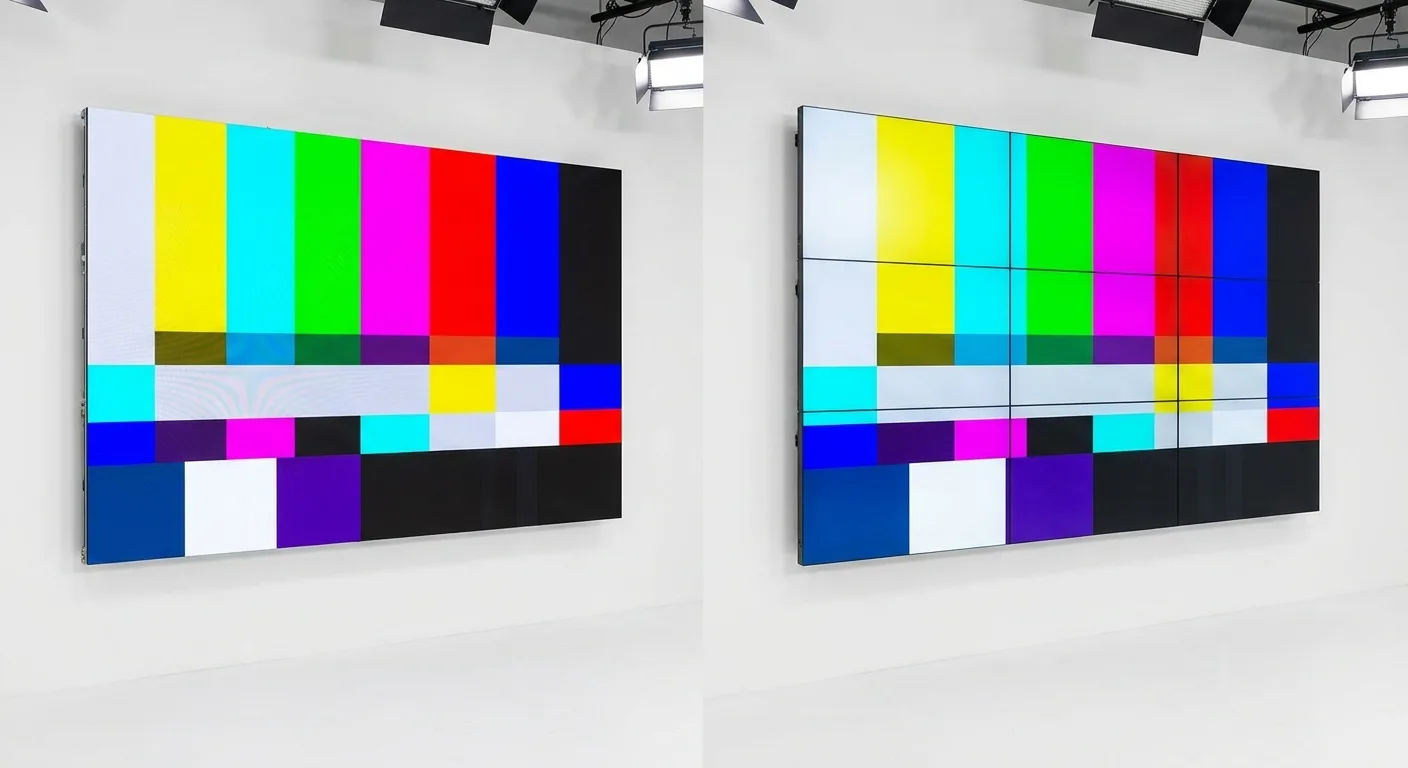
The most visible difference is the seam. LCD video walls are built from individual panels (typically 46-inch or 55-inch) arranged in a grid. Even with the narrowest commercially available bezels (0.44 mm panel-to-panel), there is a visible seam between every panel. This seam can obscure critical information — a thin alarm line, a decimal point in a reading, or a road name on a map. Fine-pitch LED video walls have zero seams, creating a completely continuous image surface. For control rooms where operators must track fine details across the entire wall, this seamless experience is a significant operational advantage.
On the other hand, LCD panels have a clear advantage in native resolution per panel. Each 55-inch LCD panel delivers Full HD (1920 x 1080) natively. A 3x3 LCD video wall provides 5760 x 3240 pixels — close to 6K resolution — at a fraction of the cost of an LED wall with equivalent pixel count. For data-heavy NOC dashboards where every pixel of text matters, LCD can deliver more readable resolution per rupee spent.
When to Choose LED
Choose fine-pitch LED when seamless imaging is critical, when the video wall displays GIS maps or live video where seam lines would obscure content, when the budget allows for the premium investment, and when long lifespan and zero image retention risk are priorities. LED is the default recommendation for Smart City ICCCs and premium SOC/NOC facilities.
When to Choose LCD
Choose LCD when budget is the primary constraint, when the content is primarily data dashboards that can be arranged within individual panel boundaries, and when ultra-narrow bezel seams (0.44 mm) are an acceptable trade-off for significantly lower cost. LCD is a practical choice for NOCs and utility control rooms where budget efficiency matters.
Key Specifications to Consider
Beyond the LED vs LCD decision, several critical specifications determine whether a video wall will perform reliably in a control room environment. These are the specifications that separate commercial-grade control room products from consumer or light-commercial alternatives.
24/7 Continuous Operation Rating
This is non-negotiable for control rooms. Consumer and light-commercial displays are rated for 16 to 18 hours of daily operation. Running them 24/7 accelerates component degradation, increases the risk of failure, and voids any warranty. Control room video walls must be rated for 24/7 continuous operation by the manufacturer. This rating means the panel's backlighting, power supply, thermal management, and component selection have been engineered and tested for uninterrupted use. Samsung, Planar, and NGX all offer products specifically rated for 24/7 operation — always verify this specification in the product datasheet before specifying.
MTBF (Mean Time Between Failures)
MTBF is the statistical reliability metric that indicates how long a product is expected to operate before a failure occurs. For control room applications, look for an MTBF of 50,000 hours or more for LCD panels and 100,000 hours or more for LED modules. Higher MTBF means fewer unexpected failures, which translates directly to less operational disruption and lower maintenance costs. Planar DirectLight LED modules, for example, are rated at 100,000 hours MTBF, which equates to over 11 years of continuous 24/7 operation before a statistically expected failure.
Bezel Width (LCD) or Pixel Pitch (LED)
For LCD video walls, bezel width directly affects how visible the seams are. Current ultra-narrow bezel technology offers 0.44 mm panel-to-panel gaps — nearly invisible from normal viewing distances. For LED video walls, pixel pitch determines resolution and minimum viewing distance. Control rooms typically specify P1.2 to P1.5 for operator workstations (2-3 meter viewing distance) and P1.5 to P2.0 for overview displays viewed from further away. Always match the pixel pitch to the closest operator viewing distance using the 1.5x formula (pixel pitch in mm x 1.5 = minimum viewing distance in meters).
Brightness and Uniformity
Control rooms are typically operated in controlled lighting conditions with dimmed or indirect lighting to reduce glare. However, brightness uniformity across the entire wall is critical — operators should not perceive brightness differences between individual panels or modules. For LCD, specify panels with brightness uniformity of 90% or better. For LED, ensure the supplier provides factory calibration data showing consistent brightness and colour across all modules. Over time, LED modules can drift in brightness and colour; high-quality products include calibration tools to correct drift during the product's lifetime.
Front Serviceability
In many control room installations, the video wall is mounted against a wall or in a confined space where rear access is limited or impossible. Front-serviceable designs allow technicians to remove and replace individual LED modules or LCD panels from the front of the installation without disturbing adjacent panels or requiring access to the rear. This is especially important for LED video walls, where a single failed module can be swapped in minutes with a front-access design versus hours with rear access. Planar DirectLight and NGX LED products both offer front-serviceable options specifically designed for space-constrained control room installations.
Planar & NGX — Authorized Control Room Brands
Achyutam Corporate is an authorized distributor for both Planar and NGX in India — two brands with strong track records in mission-critical control room applications. Understanding their product positioning helps you select the right brand for your project.
Planar — Premium Mission-Critical
Planar is a US-headquartered display technology company with decades of experience in control room and mission-critical visualization. Their DirectLight LED series is designed specifically for 24/7 control rooms, offering pixel pitches from P0.7 to P2.5, front-serviceable module design, and factory-calibrated uniformity. Planar's Clarity Matrix LCD video wall system is another strong option, featuring ultra-narrow bezels and the reliability required for continuous operation. Planar products are specified in defence, utility, and government control rooms worldwide, and their India availability through Achyutam Corporate makes them accessible for Indian projects with global-grade requirements.
NGX — Value-Engineered Commercial
NGX provides commercial-grade LED and LCD video wall solutions positioned for the Indian market's price-performance requirements. NGX LED products cover the P1.2 to P4.0 range with 24/7-rated operation, front-access serviceability, and competitive pricing that makes them accessible for mid-market control rooms, traffic management centres, and state-level government projects. For projects where global-brand positioning is not a requirement but commercial-grade reliability is, NGX delivers a strong value proposition with full OEM warranty through Achyutam Corporate.
Sizing Your Control Room Video Wall
Sizing a control room video wall is a methodical process that starts with operational requirements and works back to physical dimensions. Skipping steps or guessing at sizes leads to walls that are too small to display all required content or too large for the room. Follow this step-by-step process to size your wall correctly.
Step 1: Count Your Sources
List every data source that needs to be displayed on the wall simultaneously. This includes SCADA interfaces, network monitoring dashboards, live video feeds (CCTV, traffic cameras), GIS maps, weather data, ticketing systems, and any other operational tool. Count the total number of simultaneous windows required at peak operational load. A typical NOC might need 8 to 15 simultaneous windows. A Smart City ICCC might need 20 to 40 simultaneous windows. This count is the foundation for your sizing calculation.
Step 2: Define Minimum Window Size
Each window on the wall needs to be large enough for operators to read and interpret from their workstation distance. As a general rule, the smallest window on a control room video wall should be at least 20 inches diagonally for data dashboards (to ensure text readability at 2-3 meter distance) and at least 15 inches for video surveillance feeds (where motion detection, not text, is the primary task). These minimum window sizes, combined with the number of simultaneous windows, give you the total display area needed.
Step 3: Calculate the Grid
For LCD video walls, the grid is defined by the number of panels in columns and rows. Common control room configurations include 3x2 (6 panels), 4x2 (8 panels), 4x3 (12 panels), and 5x3 (15 panels) using 55-inch panels. For LED video walls, the wall is built from LED cabinets (typically 600mm x 337.5mm or 500mm x 500mm) that tile together to create the desired dimension. Work with your video wall supplier to map the required number of simultaneous windows at the minimum readable size to a specific grid configuration.
Step 4: Check Room Dimensions
The wall must physically fit in the room. Measure the available wall space (width and height), accounting for structural constraints, cable routing, and ventilation clearances. Also verify the floor-to-wall distance: the closest operator workstation should be at a distance where the specified pixel pitch or bezel width delivers comfortable readability (use the 1.5x formula for LED). If the room is too shallow for the desired wall size, you may need to increase pixel pitch or reduce the number of panels. If the room is too narrow, consider wrapping the video wall into a gentle curve to maximise display area within the available width.
Pro Tip: Plan for Growth
Control rooms rarely shrink. The number of data sources, camera feeds, and monitoring tools tends to grow over time. When sizing your video wall, add 20 to 30 percent headroom beyond current requirements to accommodate growth over the expected 7 to 10 year lifecycle of the installation. It is far cheaper to install a slightly larger wall at the outset than to expand or replace it three years later.